Fab
Improve your React Native app with the FAB component. Learn how to implement a React Native FAB button using gluestack-ui for a smooth UI experience. This is an illustration of Fab component.size
placement
isHovered
isDisabled
isPressed
Installation
Run the following command:
npx gluestack-ui@latest add fabAPI Reference
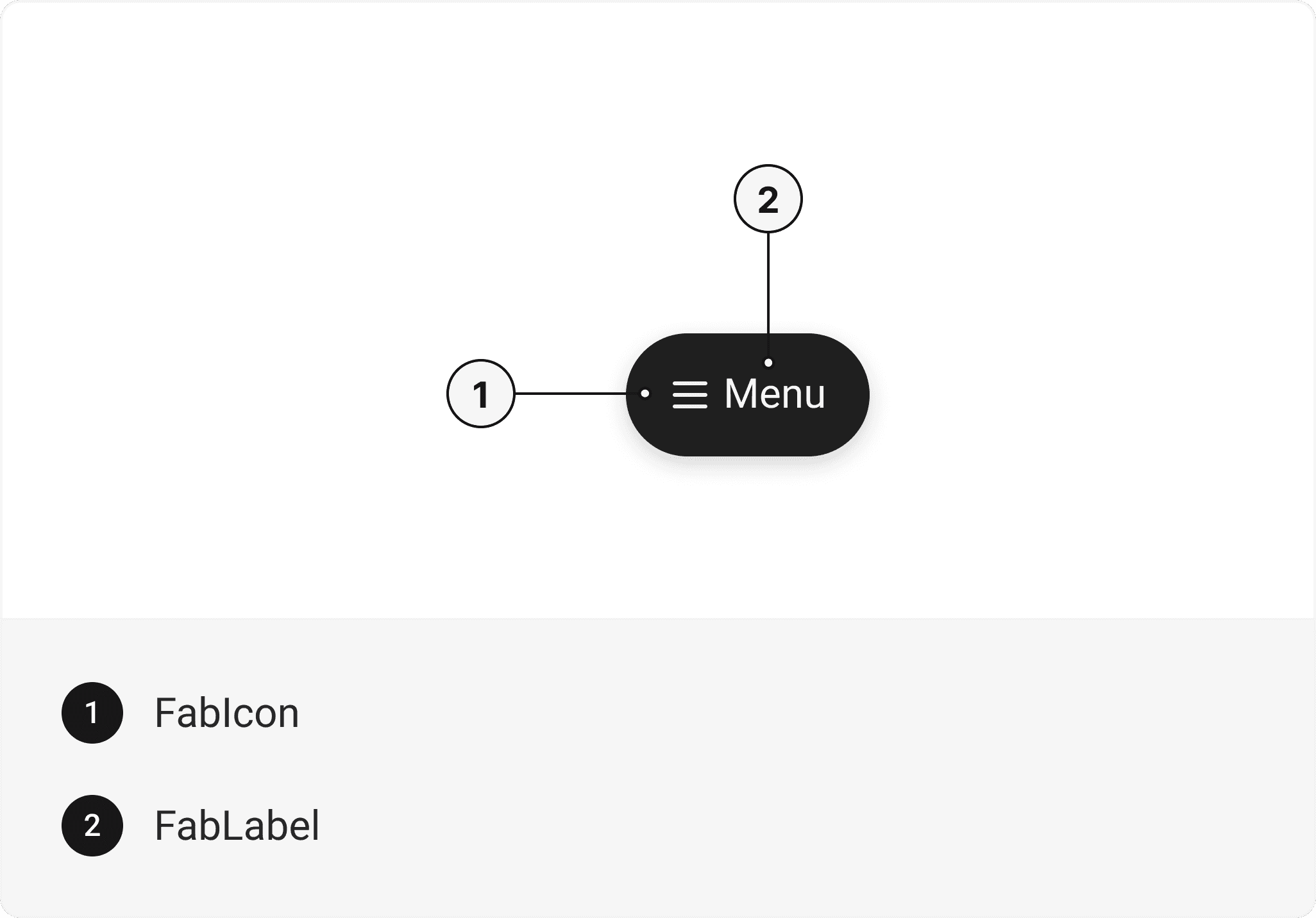
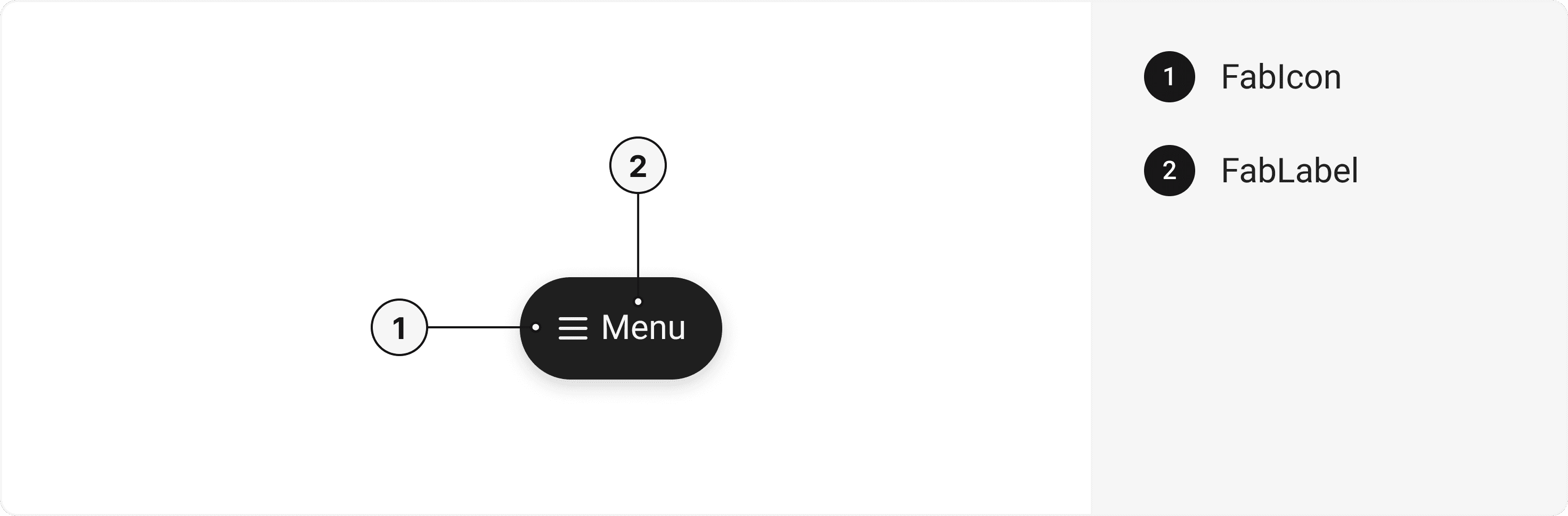
To use this component in your project, include the following import statement in your file.import { Fab, FabLabel, FabIcon } from '@/components/ui/fab';
export default () => (
  <Fab>
    <FabLabel />
    <FabIcon />
  </Fab>
);
Component Props
This section provides a comprehensive reference list for the component props, detailing descriptions, properties, types, and default behavior for easy project integration.Fab
Contains all fab related layout style props and actions. It inherits all the properties of React Native'sPressable
component.
| Prop | Type | Default | Description |
|---|---|---|---|
placement | "top left" | "top right" | "bottom left" | "bottom right" | "top center" | "bottom center" | "bottom right" | Placement of the Fab |
isHovered | bool | false | To manually set hover to the fab. |
isPressed | bool | false | To manually set pressable state to the fab. |
isFocused | bool | false | To manually set focused state to the fab. |
isDisabled | bool | false | To manually set disable to the fab. |
FabLabel
Contains all text related layout style props and actions. It inherits all the properties of React Native'sText
component.
FabIcon
Contains all Icon related layout style props and actions. It inherits all the properties of gluestack Style'sAsForwarder
component.
Features
- Keyboard support for actions.
- Support for hover, focus and active states.
- Option to add your styles or use the default styles.
Accessibility
We have outlined the various features that ensure the Fab component is accessible to all users, including those with disabilities. These features help ensure that your application is inclusive and meets accessibility standards.Adheres to theWAI-ARIA design pattern
Keyboard
- Tab: Moves focus to the next focusable element.
- Shift + Tab: Moves focus to the previous focusable element.
- Enter: Triggers the fab's action.
Screen Reader
- VoiceOver: When the fab is focused, the screen reader will announce the fab's label and its current state.
Focus Management
- TheonFocusandonBlurprops manage focus states and provide visual cues to users. This is especially important for users who rely on keyboard navigation.
Dependencies
The following are the lists of all the libraries and packages the component relies on. This information will help you ensure that your project has all the necessary dependencies installed to use the component.- @gluestack-ui/utils
- @react-native-aria/focus
- @react-native-aria/interactions
Props
Fab component is created using Pressable component from react-native. It extends all the props supported byReact Native Pressable
.
Data Attributes Table
Component receives states as props as boolean values, which are applied asdata-*
attributes. These attributes are then used to style the component via classNames, enabling state-based styling.
| State | Data Attribute | Values |
|---|---|---|
focus | data-focus | true | false |
focusVisible | data-focus-visible | true | false |
Fab
| Name | Value | Default |
|---|---|---|
size | sm | md | lg | md |
placement | top right | top left | bottom right | bottom left | top center | bottom center | bottom right |
Important Note
Note: These props are exclusively applicable when utilizing the default configuration of gluestack-ui/config. If you are using a custom theme, these props may not be available.
Examples
The Examples section provides visual representations of the different variants of the component, allowing you to quickly and easily determine which one best fits your needs. Simply copy the code and integrate it into your project.FAB with Icon
A Fab component with an icon adds a visually striking and easily recognizable button that triggers a specific action or function within a user interface.FAB with Icon and Text
A Fab component with an icon and text combines a visual icon with accompanying text to create a prominent and descriptive button that triggers a specific action or function within a user interface.Placement
A Fab component with placement options allows for flexible positioning of the button within a user interface, enabling convenient and intuitive access to key actions or functionalities in various locations.Custom Placement
A Fab component with custom placement allows for flexible positioning of the button according to specific design requirements or user interface preferences, providing tailored and intuitive access to key actions or functionalities.Edit this page on GitHub